Six lenses,
on every query you rank for.
Filter by pattern. Filter by word count. Filter by question word. Compare keywords side by side. Split brand from non-brand. Every angle you might want on your keyword portfolio, ready to go.
Queries Explorer
Six lenses on every query you rank for.
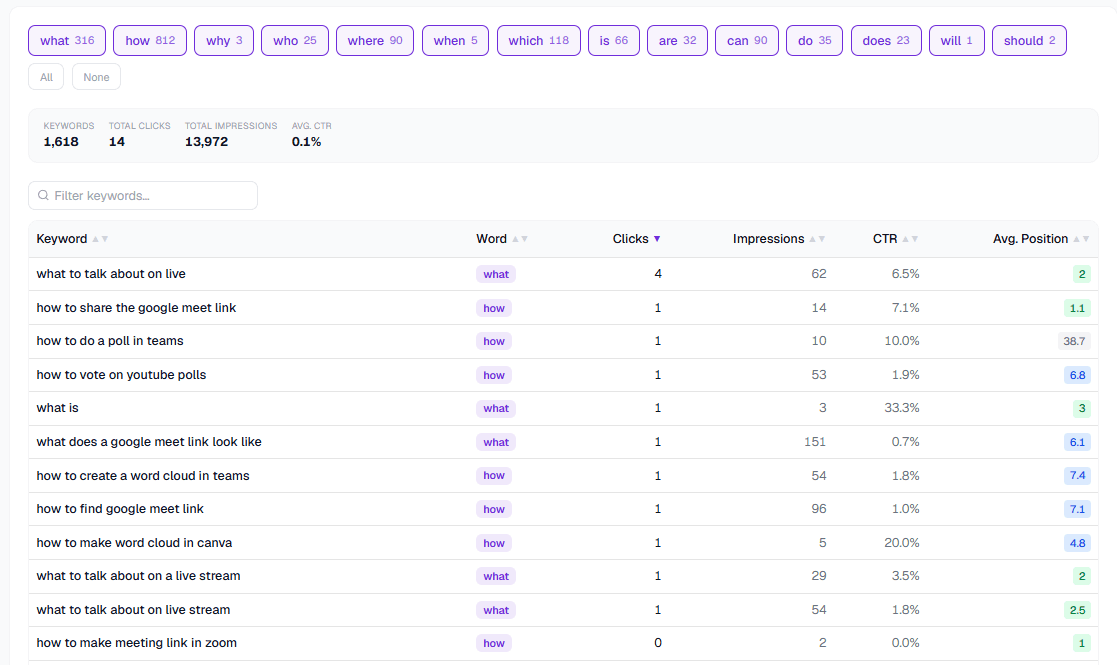
Question-word chips
Filter to "how", "what", "why" with one click. Each chip shows how many queries match.
Filter, sort, drill
Sort any column, filter to a content segment, click a row for the full keyword history.
The questions Queries Explorer answers fastest
"What's our top-converting question keyword?"
Filter to question words. Sort by CTR. Done.
"Where are our long-tail wins?"
Group by word count. See where impression density lives.
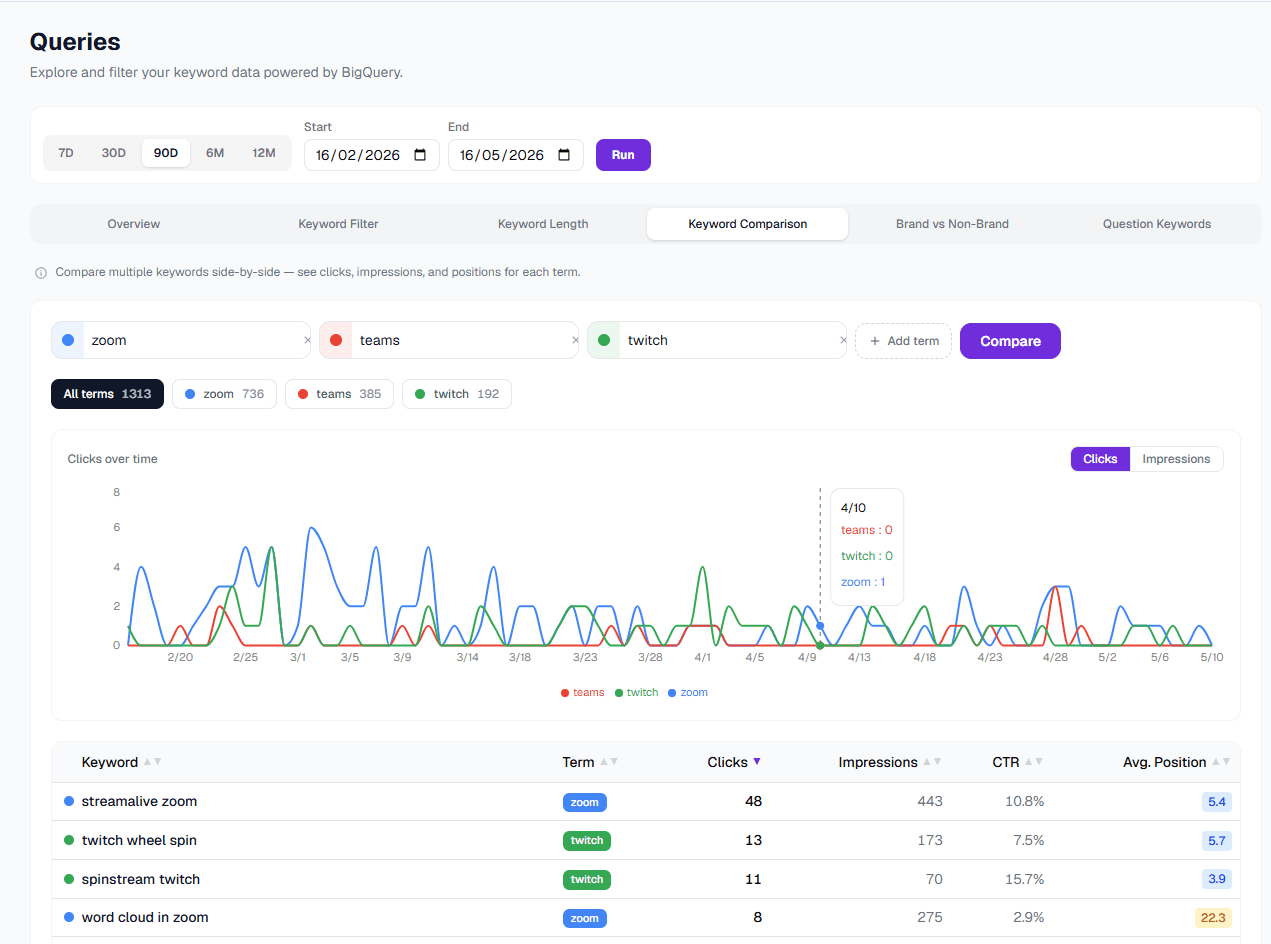
"How do these two keywords compare over time?"
Side-by-side comparison chart with clicks, impressions, and position.
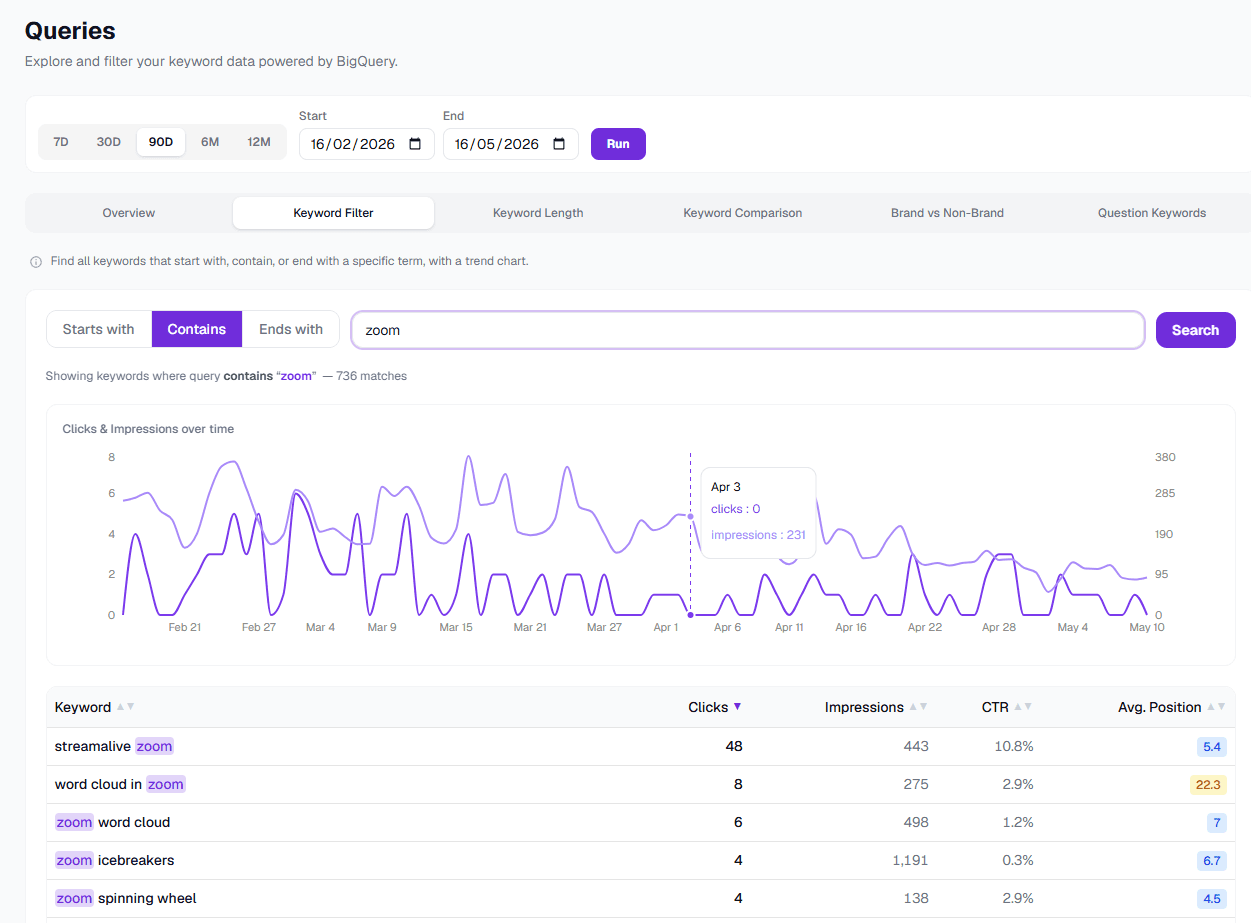
Pattern filter
Find every keyword containing or excluding a phrase.
Type a substring, get every query that contains it, with a trend line for the matched set. Or invert it to exclude. Find everything that doesn't contain your brand, your category, your obvious terms.
Question keywords
What, how, why, who, broken out as chips.
One-click filtering to question-shaped queries. The keywords that map cleanest to long-form content briefs and AI search citation.
Side-by-side comparison
Pick keywords, get a chart.
Select two to ten keywords from any table and get a stacked comparison view. Clicks, impressions, position, all aligned to the same date axis.
Who reaches for the queries explorer first
Content marketers
Find the briefs that the data is begging for.
SEO consultants
Faster audits, deeper insights.
SEO agencies
One tool that replaces three lookups.
SaaS companies
Filter to questions about your category, see who's asking.
Media publishers
Discover topical demand at scale.
Niche site owners
Pattern filter the long-tail across every site.